How to Build an SEO Reporting Dashboard Clients Actually Understand
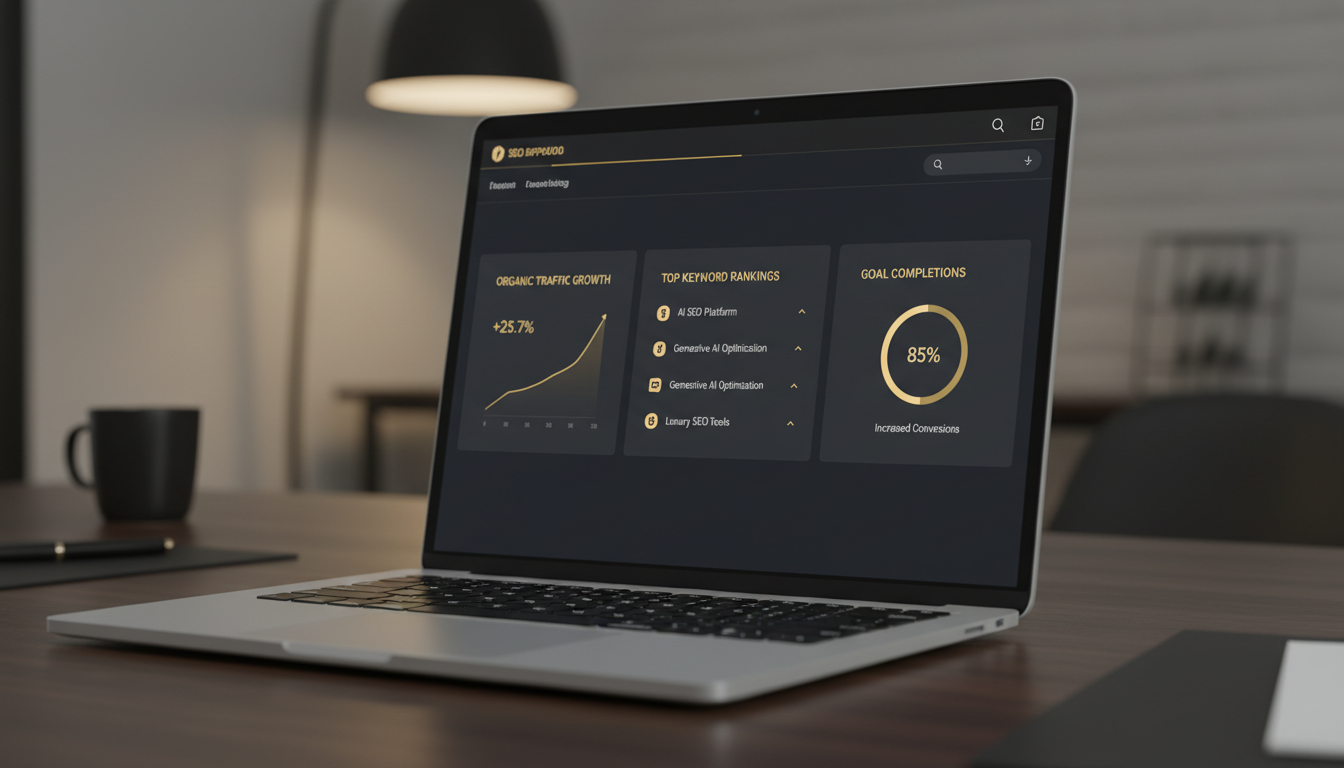
Building an SEO reporting dashboard for clients is one of the highest-leverage investments an agency can make — not because it saves time (though it does), but because it directly shapes how clients perceive the value of your work. A dashboard that surfaces the right numbers in plain language turns a skeptical client into a long-term retainer. One that dumps raw crawl data and impression counts into a spreadsheet does the opposite.
Quick answer: An SEO reporting dashboard for clients should display organic sessions, keyword ranking movement, leads or conversions from organic traffic, and page visibility trends — all framed in business language, not SEO jargon. Connect Google Search Console and your analytics platform as data sources, group metrics by business impact rather than technical category, and add brief written commentary explaining what changed and why. Automated dashboards that update in real time let clients self-serve between scheduled reports, reducing "how are things going?" emails and building trust. The goal is a single view that answers: Is organic search growing, and is it driving revenue?
Why Most SEO Dashboards Fail Clients
The average agency dashboard is built for the SEO practitioner, not the client. It answers questions like "how many pages are indexed?" and "what is the crawl budget?" — questions a CMO or business owner has never asked and never will.
Clients ask different questions:
- Are we getting more customers from Google?
- Are we ranking for the terms we talked about?
- Is what we're paying you actually working?
When a dashboard can't answer those three questions in under 30 seconds, clients lose confidence — even when the underlying SEO work is excellent. The fix is not a better-looking chart. It is a deliberate decision about which metrics belong in a client-facing view and which belong in your internal workflow.
The Metrics That Actually Matter to Clients
Strip the dashboard down to metrics with a direct line to business outcomes:
| Metric | Why Clients Care | What to Avoid Showing Instead |
|---|---|---|
| Organic sessions (trend) | Shows whether search traffic is growing | Raw crawl errors |
| Keyword ranking movement | Confirms targeted terms are improving | Average position (misleading) |
| Organic conversions / leads | Ties SEO to revenue | Impressions without context |
| Top pages by organic traffic | Shows which content is working | Log file data |
| Visibility score or share of voice | Competitive context | Domain Authority alone |
This is not an exhaustive list — it is a starting point. Every client has a slightly different definition of success, and the best dashboards reflect that conversation.
What to Strip Out of Client Views
Technical metrics like crawl depth, index coverage errors, and Core Web Vitals scores are genuinely important to your work. They do not belong in the client-facing layer unless a client has specifically asked for them. Move them to an internal operations view and reference them in written commentary when they affect rankings.
How to Structure a Client-Ready SEO Dashboard
Layer 1: The Executive Summary
The first screen a client sees should answer the three core questions above without any scrolling. Use large-format trend lines for organic sessions and conversions, a simple ranking movement summary (keywords up / flat / down this month), and a one-paragraph written summary you update monthly.
This is the layer that gets screenshotted and sent to a CEO. Make it earn that moment.
For a deeper look at structuring this layer, how to build client-ready SEO reports executives read covers the narrative structure that makes executive summaries land.
Layer 2: Keyword Ranking Tracking
Keyword data needs context to be useful. A keyword moving from position 14 to position 9 is significant — it is the difference between page two and the bottom of page one. A keyword dropping from 3 to 4 during a competitor's aggressive push is not a crisis.
Show ranking movement as a trend over 30, 60, and 90 days. Group keywords by theme or funnel stage (awareness, consideration, conversion) rather than alphabetically. Flag any keywords that crossed a meaningful threshold — entering the top 10, reaching position 1–3, or dropping off page one.
Accurate rank tracking requires consistent methodology. How to track keyword rankings accurately explains the variables — device, location, personalization — that cause rank data to differ between tools and how to standardize your reporting.
Layer 3: Conversion Attribution
This is where most dashboards fall short. Organic traffic numbers are easy to pull. Connecting that traffic to actual leads, calls, form fills, or purchases requires proper goal configuration in GA4 and a clear attribution model.
Set up at minimum:
- Organic traffic as a segment in all conversion reports
- Goal completions or key events filtered to organic source/medium
- A simple revenue or lead value estimate if the client has provided one
Google Search Console is the authoritative source for organic click data, but it does not track what happens after the click. Your analytics platform handles that. The Google SEO Starter Guide is a useful reference for explaining to clients how search engines evaluate and send traffic to their site.
What Matters Most: Our Dashboard Evaluation Framework
When building or evaluating an SEO reporting dashboard for clients, these are the criteria that determine whether it will actually get used:
- Clarity over completeness — A dashboard with five metrics clients understand beats one with fifty they ignore
- Business language — Every label should mean something to someone who has never heard of "crawl budget"
- Trend visibility — Clients need to see direction, not just a snapshot number
- Commentary layer — Automated data without human interpretation is just noise
- Automation reliability — Data that is sometimes wrong or delayed destroys trust faster than no dashboard at all
- Branded presentation — White-labeled reports reinforce your agency's professionalism
Automating SEO Reporting Across Multiple Clients
Manual reporting at scale is a tax on agency growth. If you are rebuilding the same dashboard for every new client, you are spending hours each month on work that should take minutes.
Agency SEO platforms with multi-client reporting capabilities can automate data pulls from Search Console, GA4, and rank trackers, generate branded PDF or live-link reports, and schedule delivery by email. Automating SEO reporting for multiple clients covers the workflow in detail, including how to set up templates that pull client-specific data without manual intervention.
Black and Gold SEO's one-click executive reporting is built specifically for this use case — generating client-ready reports that pull live data across all tracked metrics without requiring manual export and formatting. For agencies managing five or more clients, this kind of automation is not a convenience; it is a competitive necessity.
For a broader look at how AI-powered platforms are changing agency workflows, the AI SEO workflow for agencies and best SEO software for agencies are worth reviewing alongside this guide.
Google's helpful content guidance is also a useful reference when explaining to clients why content quality — not just technical SEO — drives the organic results they see in their dashboard.
Frequently Asked Questions
What metrics should I include in an SEO dashboard for clients?
Focus on metrics clients care about: organic sessions, keyword ranking movement, leads or conversions from organic traffic, and page visibility trends. Avoid raw technical metrics like crawl errors or log file data unless the client has asked for them.
How often should I send SEO reports to clients?
Monthly reports work best for most retainer clients. Weekly snapshots can be useful during active campaigns or site migrations. Automated dashboards with live data let clients check in anytime without waiting for a scheduled report.
What is the best tool to build an SEO reporting dashboard for clients?
The best tool depends on your stack. Platforms like Black and Gold SEO offer one-click executive reporting built for agencies. Google Looker Studio is a free option for custom dashboards pulling from Search Console and GA4, though it requires manual setup.
How do I make an SEO report that non-technical clients understand?
Replace SEO jargon with business language. Instead of 'impressions,' say 'how often your site appeared in search.' Use trend lines over raw numbers, add brief written commentary explaining what changed and why, and always tie results back to revenue or leads.
Can I automate SEO client reporting across multiple accounts?
Yes. Agency SEO platforms with multi-client dashboards can automate data pulls, generate branded reports, and schedule delivery by email. This eliminates manual reporting time and ensures every client receives consistent, accurate updates.
Sources and Further Reading
Your Next Step
Audit one existing client report this week using the five-criteria framework above. If a client could not explain what any single metric means in plain English, that metric either needs a label change, a written explanation, or removal from the client view entirely. Start there — then build the automation layer once the structure is right.
← All posts